Lecture 9: Linux Filters & Commands
Filters
A Linux filter is a program that takes plain text as standard input, transforms it into a meaningful format, and returns the result as standard output.
Key Characteristics:
- Input: Accept data from standard input (
stdin), which can be a file or the output from another program. - Output: Produce output on standard output (
stdout), which can be displayed on the screen or sent to another program/file. - Purpose: Transform plain-text data.
- Design Principle: Filters are typically small, specialized programs, building blocks for more complex operations.
Pipe
The pipe (|) is a mechanism that passes the output of one command as the input for another command.
The general syntax for using a pipe is as follows:
command1 | command2This syntax sends the output generated by command1 directly to command2 as its input.
For example, the following command sends the output of the ps command to the head command:
ps | head -5
Redirection
In Linux, standard devices are treated as files.
The keyboard is considered standard input (file descriptor 0), while the terminal screen is used for both standard output (1) and standard error (2).
Redirection allows you to change where input comes from and where output goes.
Output Redirection
The greater-than symbol (>) is used to redirect output, sending the results of a command to a file instead of the terminal screen.
ls > list.txtThis example writes the output of the ls command into a file named list.txt.
Input Redirection
The less-than symbol (<) is used to redirect input, telling a command to read from a file instead of the keyboard.
cat < file.txtThe < symbol redirects the content of file.txt to the standard input of the cat command.cat then processes this input and writes it to its standard output (the terminal screen).
Combined Example
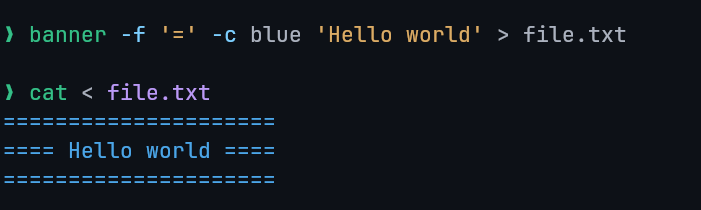
Here we redirected the output of the banner script to the file file.txt.
Then, we redirected the file file.txt to the input of the cat command, which prints it to the screen.
Filter Commands
cat
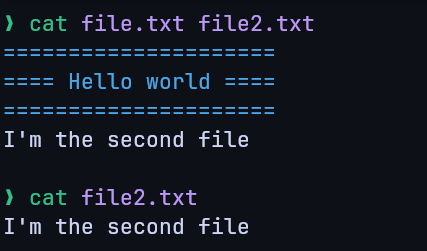
Concatenate files and display them on the standard output, line by line.
Example:
sort
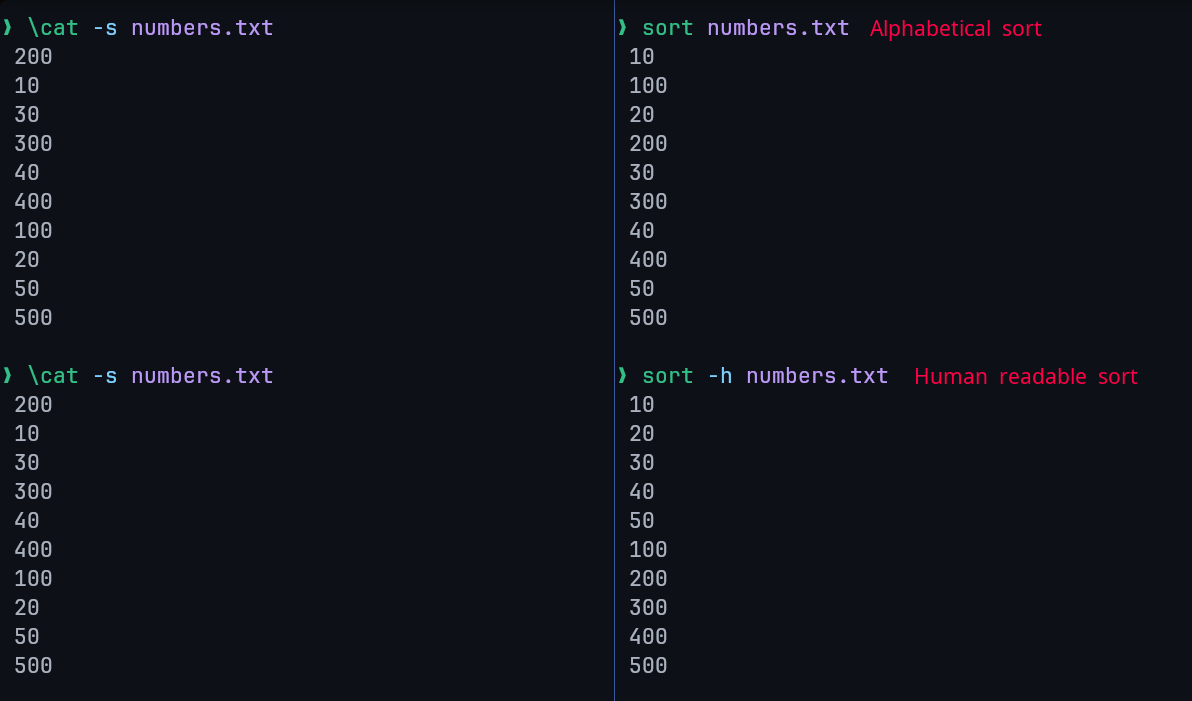
Sort lines of text files.
By default, it sorts lines alphabetically, but numerous options are available to modify the sorting mechanism.
Examples:
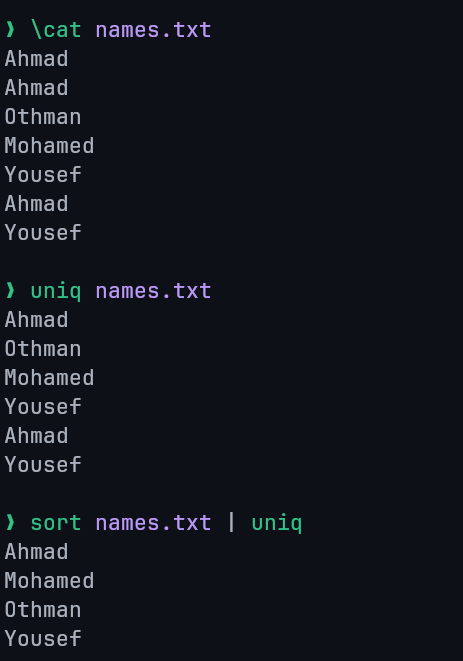
uniq
The uniq command removes duplicate lines from a file's content. A critical limitation is that it can only remove adjacent (continuous) duplicate lines.
Example:
wc
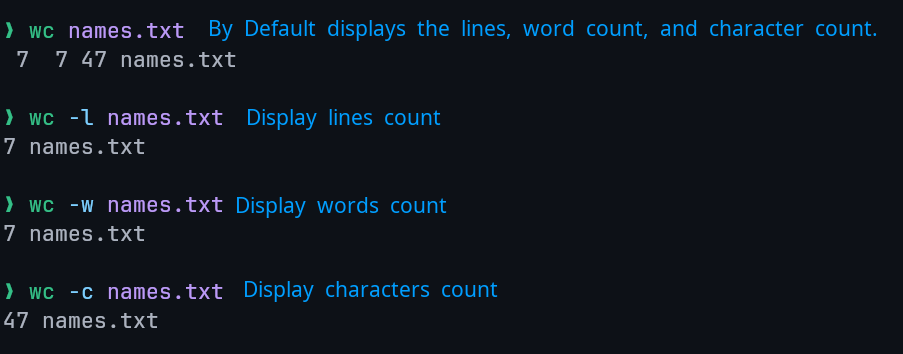
The wc (word count) command counts the number of lines, words, and characters in its input.
Example:
grep
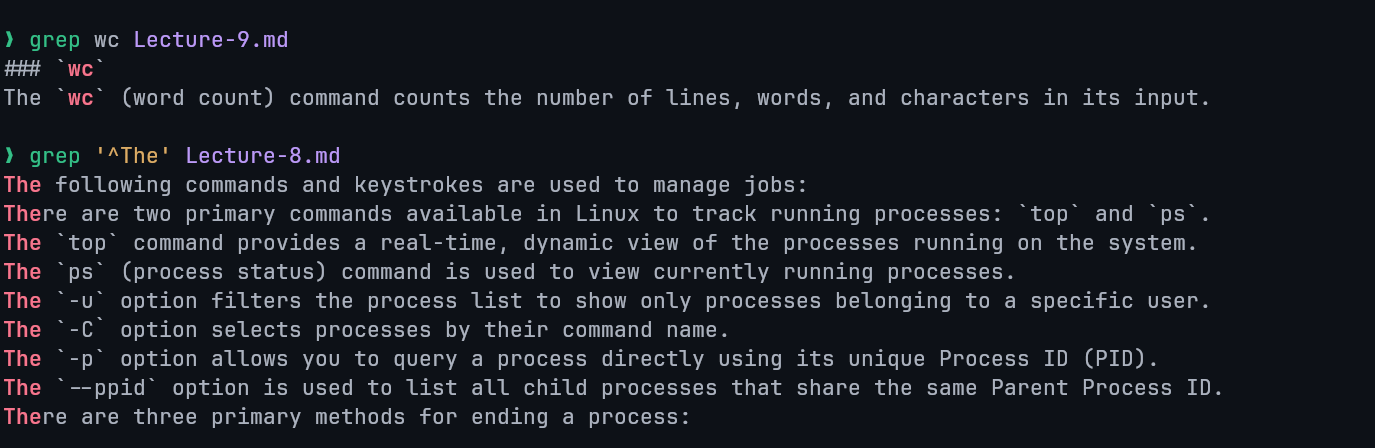
The grep (global regular expression print) command is used to search for a specific pattern within the content of a file.
Example:
sed
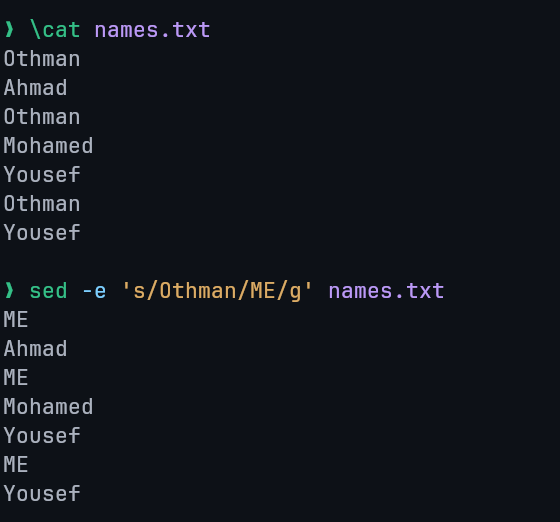
The sed (stream editor) command performs search and replace operations on data.
Syntax: sed -e 's/search/replace/' or sed -e 's/search/replace/g' for global replacement (all matches).
Example:
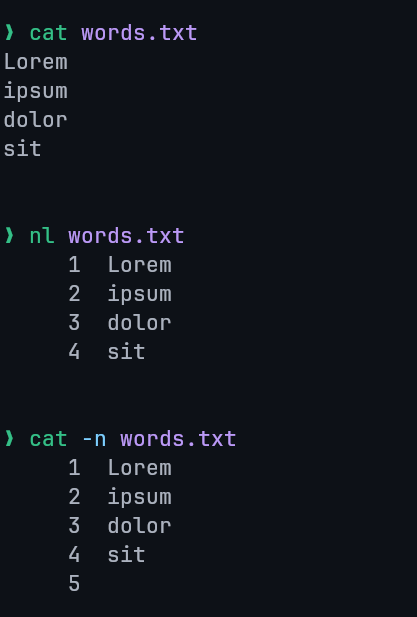
nl
The nl command is used to add line numbers to text data. Similar output to cat -n command.
Example:
comm
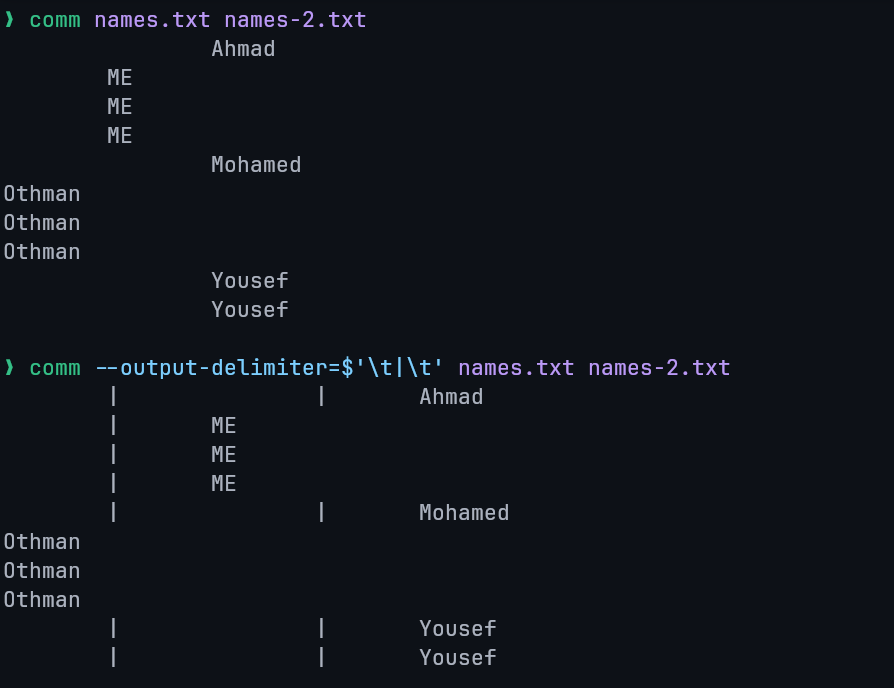
The comm command compares two sorted files line by line.
Output Format: The command produces a three-column output:
- First column: Contains lines unique to the first file.
- Second column: Contains lines unique to the second file.
- Third column: Contains lines that are common to both files.
Example:
tee
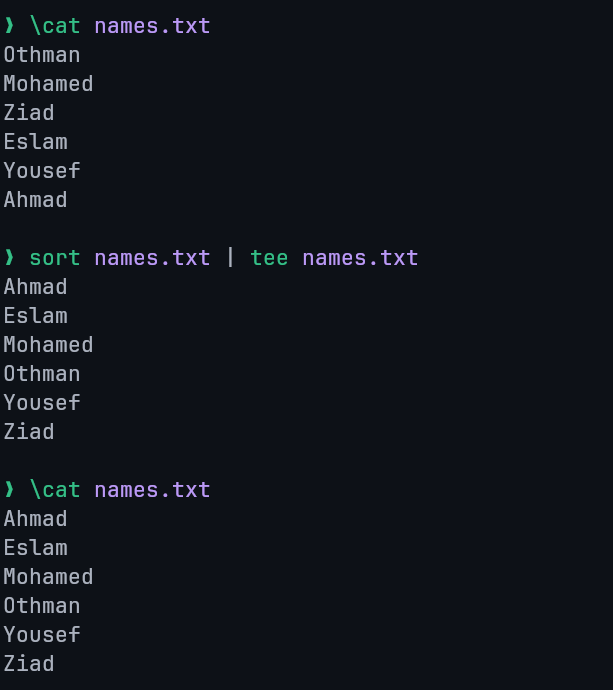
The tee command reads content from standard input and simultaneously writes that content to both standard output and one or more specified files.
Example:
awk
awk is a powerful scripting language used for advanced text processing. It is particularly useful for tasks where simpler tools like sed have limitations.
Capabilities: awk can be used for searching, replacing, sorting, validating, and indexing data.
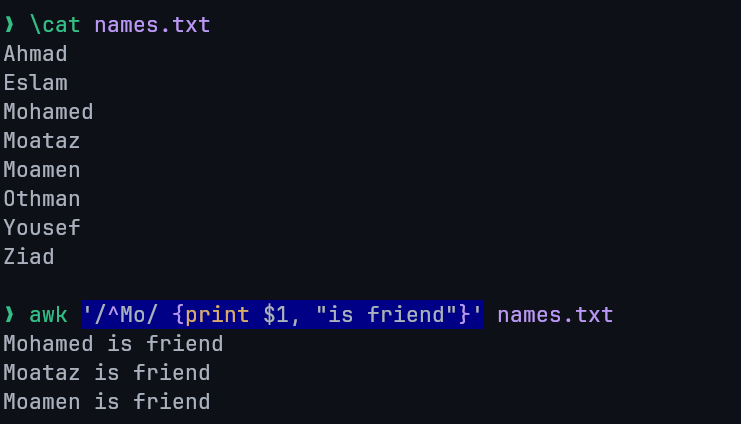
Examples:
Searches for any line starting with "Mo", prints it and the words "is friend".
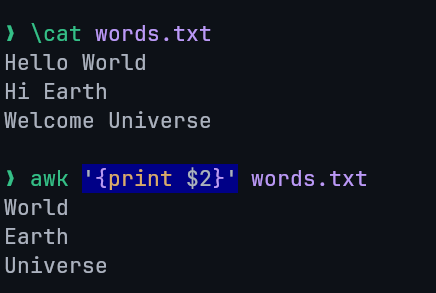
Prints the second field (separated with spaces by default) from each line.
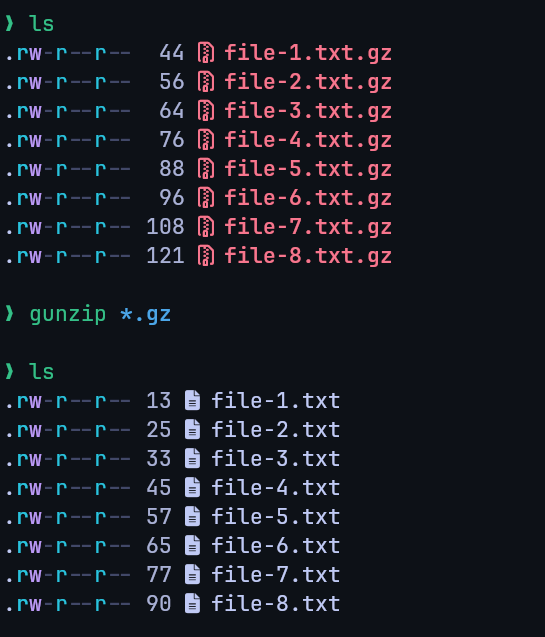
gzip / gunzip
- Purpose: The
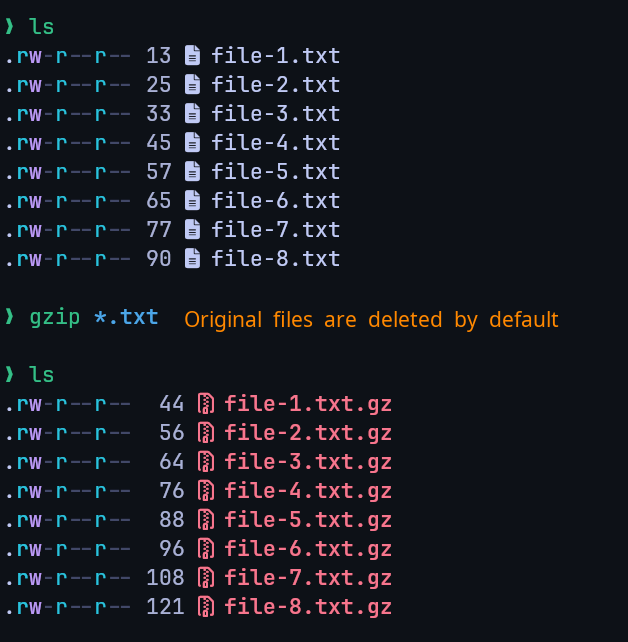
gzipcommand is used to compress files, while thegunzipcommand is used to decompress them. - File Extension: Files compressed with
gzipare given a.gzextension. - Decompression: Decompressing a file with
gunzipremoves the.gzextension.
Examples
Compression:
Decompression: