Lecture 1: Introduction to Linux
What is an Operating System?
- The Operating System (OS) is the software that starts when the computer boots and manages all system operations.
- It acts as a manager, controlling resources such as the CPU, memory, and storage.
Main Functions:
- Control Hardware: Coordinates all hardware components.
- Run Applications: Executes application software (e.g., browsers, editors, games).
- Manage Data and Files: Handles operations like copying, moving, deleting, and renaming data.
Before Linux
- 1980s: Microsoft DOS dominated personal computers.
- Apple MAC: Superior but expensive.
- UNIX: Advanced but highly costly.
- Users wanted a UNIX-like, affordable system that could run on PCs.
Linux Overview
- A UNIX-like, free, and open-source OS.
- Based on UNIX, designed initially for PCs but later used in servers, mainframes, and supercomputers.
- Runs on diverse hardware: PCs, phones, mainframes, and embedded devices.
Linux vs Unix vs Windows
| Parameter | Linux | Unix | Windows |
|---|---|---|---|
| Inception Year | 1991 | 1969 | 1985 |
| Availability | Open-source and free | Proprietary | Paid |
| Developer | Linus Torvalds | AT&T Bell Labs | Microsoft |
| Security | Secure | Secure | Less secure |
| Virus Count | 60–100 | 85–120 | ~60,000 |
| Interface | GUI + CLI | Mostly CLI | GUI-focused |
| Language | C, Assembly | C, Assembly | C++, Assembly |
| License | GPL (open) | Closed | Proprietary |
History of Linux
Linux was first released by Linus Torvalds on September 17, 1991.
- Origin: Linus developed Linux while he was a student at the University of Helsinki.
- Collaboration: The developers of the Free Open Source Foundation assisted in the development of Linux.
- Motivation: He created it for his computer because he could't afford a licensed operating system.
- GPL (General Public License): Ensures that Linux source code remains free to use, modify, and redistribute.
Linux Operating System
- Based on the Linux Kernel, which handles communication between hardware and software.
- A distribution combines the kernel with utilities and applications, forming a complete OS.
- Various Linux distributions cater to different users and needs.
Features of Linux OS
Open Source and Free
- Source code available to everyone.
- Users can modify and redistribute freely.
Multi-User & Multiprogramming
- Supports multiple users and simultaneous programs.
Security
- Resistant to most viruses; supports authentication, authorization, and encryption.
- No antivirus required.
Lightweight
- Requires minimal resources (4–8GB storage, low RAM usage).
- Supports numerous file formats.
Graphical User Interface
- CLI by default, but can include GUI environments (GNOME, KDE, etc.).
Stability & Performance
- Rarely crashes; supports many concurrent users efficiently.
Portability & Compatibility
- Runs on a wide range of hardware and supports extensive applications.
Community Support
- Backed by a large and active user/developer community.
Why Linux?
- Open-source flexibility, stability, and reliability make it ideal for developers, servers, and end users alike.
Linux Architecture
- Kernel: Core component managing hardware and virtual resources.
- System Libraries: Provide reusable functionality for developers.
- Shell: Interface that interprets user commands.
- Hardware Layer: Physical components (CPU, RAM, I/O devices).
- System Utilities: Tools for managing system configurations, software, users, and performance.
Linux Distributions
Main componentes of a distribution:
- Kernel + device drivers
- Shell (bash, sch, etc.)
- GUI (X11, Xfree, X.org)
- Window mangers (KDE, Gnome, etc.)
- Boot managers (LILO, GRUB, systemd-boot)
- Application software
- Installation and maintenance tools
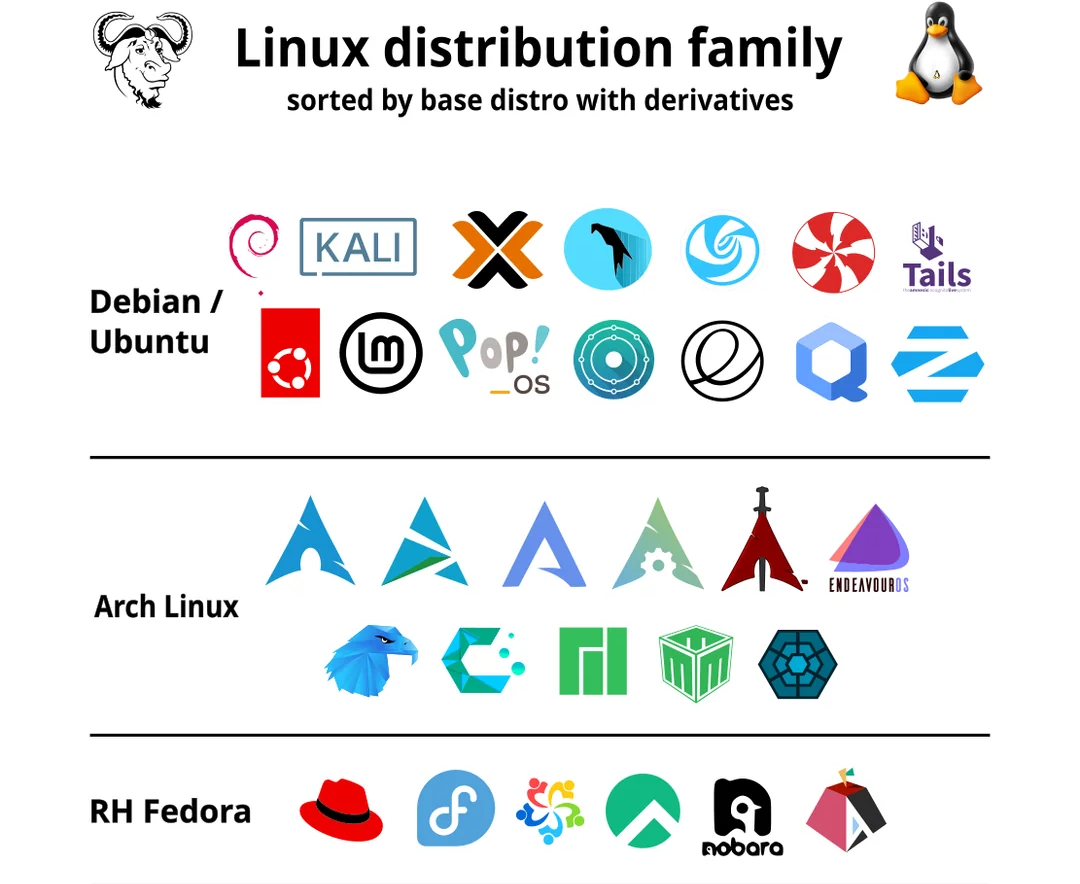
Examples: Ubuntu, Mint, Fedora, Arch, Debian
- Summary: A Linux distribution = Kernel + Libraries + Tools + GUI + Applications.
Linux Distribution Families
Check Distribution
bash
cat /etc/issue      # Distribution name
uname -a            # Kernel version
Choosing the Right Distribution
- Hardware Compatibility: Ensure support for system architecture and devices.
- Application Requirements: Verify package availability.
- Security & Stability: Choose well-maintained distros.
- Community Support: Prefer active, documented communities.
- Customizability: Consider distros like Gentoo or Yocto for flexibility.
- User Experience: Evaluate desktop environments and usability.
Linux Licensing
- Licensed under GNU GPL v2, ensuring source code openness.
- GPL: Promotes free modification and distribution.
- Linus Torvalds declined GPL v3 for the kernel due to added restrictions.
Linux Commands
- Commands are instructions executed in the terminal.
- Case-sensitive.
- Processed by the shell, which interacts with the kernel.
Types:
- Built-in Commands: Integrated in the shell (e.g.,
cd,echo). - External Commands: Separate executables (e.g.,
ls,cat).
Command Syntax:
command [ -options ] [ arguments ]Shell
- Interface between user and kernel.
- Executes user commands and manages processes.
- Popular shells:
sh,bash,csh,tcsh. - Open terminal:
Ctrl + Alt + T - View default shell:
bash
echo $SHELLBash (Bourne-Again Shell)
- Developed by Brian Fox for the GNU Project.
- Default shell for most Linux distributions.
- Functions as both a command interpreter and scripting language.
- Supports variables, conditionals, loops, and functions.
- Reads scripts directly from files.
Shell Scripts
- A script is a series of commands saved in a file.
- Executed by a shell interpreter.
Steps to Write:
- Create a file with commands.
- Add a shebang line (
#!). - Make it executable:
bash
chmod u+x script.sh- Run:
bash
./script.shAlternative Execution:
- Run via shell:
bash script.sh - Source in current shell:
source script.sh(any variables defined by the script remain in the current shell)
Example Script
bash
#!/bin/bash

rm *.txt # remove all text files
ls -l
Man Command
- Access command manuals using:
bash
man <command>- Contains sections: NAME, SYNOPSIS, DESCRIPTION, OPTIONS, EXAMPLES.
- Exit manual: press q.
Manual Sections
- General commands: Command used in the terminal.
- System calls: Functions provided by the kernel.
- Library functions: Functions within program libraries.
- Special files: Devices are usually found in the /dev directory and corresponding drivers.
- System administration commands
- File formats and conventions
- Kernel routines
- Specs and interfaces
- Games
- Miscellaneous
Examples
bash
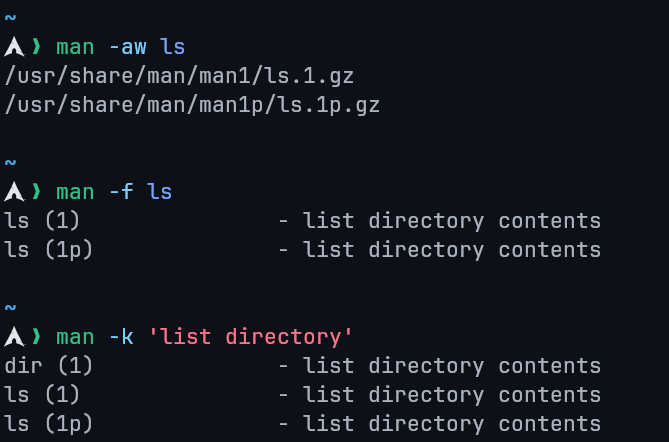
man -aw     # View all sections of a topic
man -f      # Search by command name (whatis)
man -k      # Search by keyword
whereis -m  # Find man page location