Introduction to Cybersecurity Lecture 6
Hacking
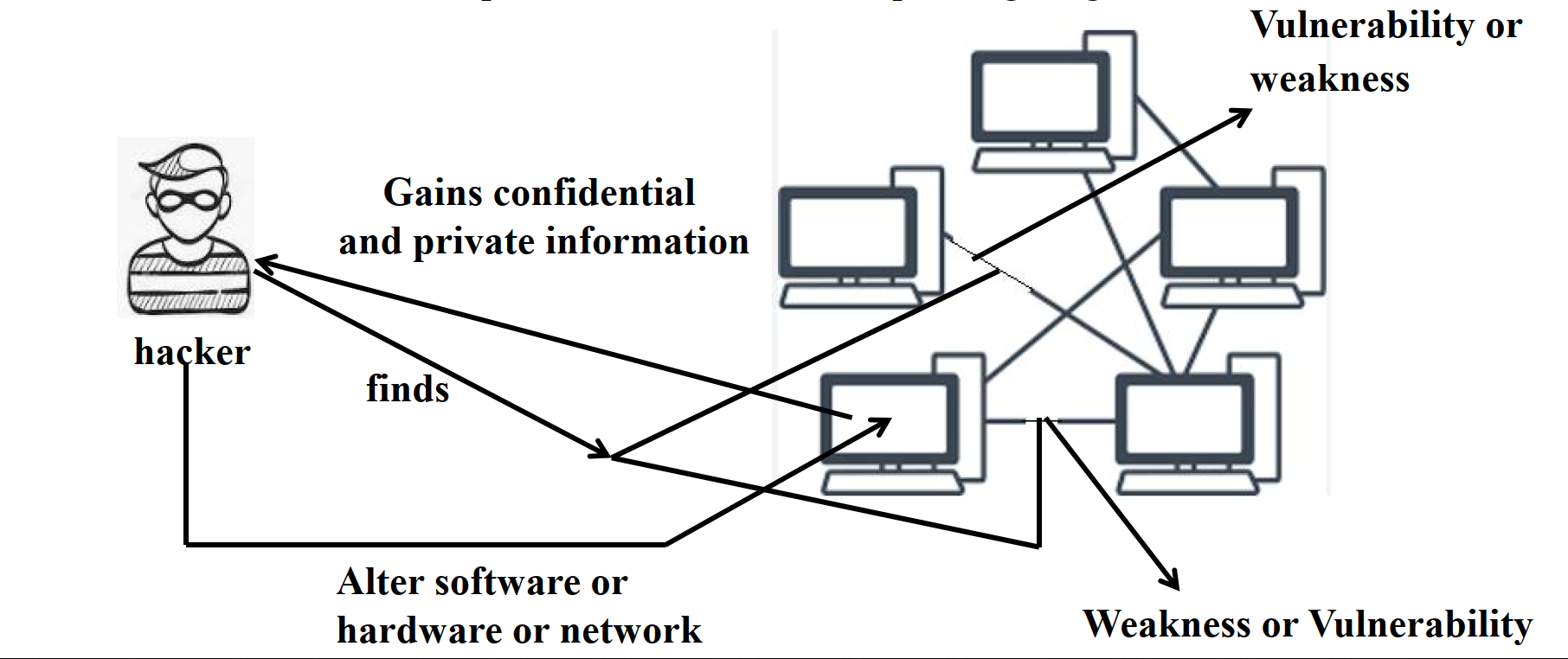
Hacking involves exploiting vulnerabilities in computer systems, networks, or software to gain unauthorized access and obtain confidential information. Hackers may alter software, hardware, or networks for illegal purposes.
Hacker Workflow
- Identify weaknesses or vulnerabilities.
- Exploit the vulnerabilities.
- Gain confidential and private information.
- Alter software, hardware, or networks.
Types of Hackers
1. Black Hat Hacker
- Motivation: Malicious intent, often financial.
- Actions: Exploits vulnerabilities to commit cybercrimes such as data theft, fraud, and identity theft.
- Legality: Illegal and punishable by law.
2. White Hat Hacker
- Motivation: Ethical intent, focused on security improvement.
- Actions: Tests and fixes system vulnerabilities with permission to enhance security.
- Legality: Authorized and legal.
3. Gray Hat Hacker
- Motivation: A mix of ethical and unethical practices.
- Actions: Identifies vulnerabilities and may alert authorities or demand payment to fix them.
- Legality: Operates in a legal gray area.
Cracking
Cracking is the process of breaching software or system security, often using repetitive techniques rather than sophisticated exploitation.
Types of Cracking
Password Cracking:
- Techniques:
- Brute Force: Tries all possible combinations.
- Dictionary: Uses common words.
- Rainbow Table: Precomputed hashes to find encrypted passwords.
- Techniques:
Software Cracking:
- Tools:
- Keygen: Generates valid serial numbers.
- Patch: Modifies software to remove restrictions.
- Loader: Bypasses security features.
- Tools:
Network Cracking:
- Targets local area networks (LAN) or wireless networks (Wi-Fi).
- Easier to breach wireless networks due to proximity requirements.
Application Cracking:
- Modifies software to disable licensing or authentication mechanisms.
- Exploits vulnerabilities to access sensitive data or execute code.
Wireless Cracking:
- Gains unauthorized access to Wi-Fi networks.
- Exploits security protocol weaknesses to intercept communications or steal data.
How to Prevent Cracking
Keep Software Updated:
- Regular updates fix vulnerabilities.
- Enable automatic updates.
Use Antivirus Software:
- Protects against malware and spyware.
- Scans systems for infections.
Avoid Public Wi-Fi:
- Use VPNs to secure connections on public networks.
Use Unique Passwords:
- Avoid using the same password across accounts.
- Ensure passwords are strong and secure.
Secure Devices:
- Change default usernames and passwords on routers and smart devices.
- Enable HTTPS encryption when browsing.
Devices Most Vulnerable to Hacking
1. Smart Devices
- Often run open-source operating systems like Android, making them prone to attacks.
2. Webcams
- Hackers use Remote Access Trojans (RATs) to hijack webcams and spy on users.
3. Routers
- Compromise data sent and received.
- Enable wider malicious actions like DDoS attacks and DNS spoofing.
4. Email
- Used for phishing and spreading malware.
- Common target for cyberattacks.
How to Protect Yourself from Hacking
Keep Software Updated:
- Regularly install updates for all devices and programs.
Use Unique Passwords:
- Avoid reusing passwords; create strong, unique ones for each account.
Enable HTTPS Encryption:
- Verify secure connections by checking for
https://in URLs.
- Verify secure connections by checking for
Avoid Suspicious Links and Ads:
- Do not click on strange links or pop-up ads.
Secure Default Settings:
- Replace default usernames and passwords on devices with unique combinations.