Student Details
| Field | Value |
|---|---|
| Name | أحمد علي أحمد علي عثمان |
| Code | 20240592 |
| Section | 1 |
| Number | 15 |
Linux Essentials Assignment 2
Task No.01
1.1 Explain types of processes in linux and how you can display all currently running processes in full format on a system.
Types of Processes in Linux
- Parent process
A parent process is any process that creates another process using system calls such asfork()orclone(). Every process in Linux has a parent process, except for the very first process started by the kernel. If a process is launched from a terminal, its parent is typically the shell (e.g.,bash,sh), not the kernel directly. - Child process
A child process is a process created by another process (its parent). The child inherits certain attributes from its parent (such as environment variables and file descriptors) but has a unique process ID (PID). Each child process always has exactly one parent at any given time. - Orphan process
An orphan process occurs when a parent process terminates before its child finishes execution. When this happens, the orphaned child is automatically re-parented to the system's init process (systemdon modern Linux systems, historicallyinit). The orphan's PPID becomes the PID ofsystemdusually PID 1 or PID 0. - Zombie process
A zombie process is a process that has completed execution but still has an entry in the process table because its parent has not yet collected its exit status usingwait()orwaitpid(). Zombie processes consume no CPU and minimal memory, but they remain visible in process listings until reaped by their parent. - Daemon process
A daemon process is a long-running background process that typically starts during system boot or on demand and does not interact directly with a terminal. Daemons are usually detached from any controlling TTY, which is why their TTY field often appears as?in process listings. Examples includesshd,cron, andsystemdservices.
Displaying All Running Processes in Full Format
To display all currently running processes in full format, use:
ps -ef-e: show all processes-f: full-format listing (UID, PID, PPID, CPU usage, start time, TTY, and command)
Alternatively, a more detailed output can be obtained with:
ps aux-a: Shows information about all users-x: Shows information about processes without terminals-u: displays the process for a specific user.
1.2 Explore the Function of the Following Commands
cat Command
The cat (concatenate) command is a basic utility used to read, combine, and write file contents.
Functions:
- Display the contents of one or more files to standard output.
- Concatenate multiple files.
- Create or overwrite files via redirection.
- Append data to existing files.
Examples:
# Show contents of file.txt
cat file.txt

# Show contents of file1.txt followed by file2.txt
cat file1.txt file2.txt

# Show contents with line numbers
cat -n file.txt

# Copy contents of file.txt to new.txt (overwrite)
cat file.txt > new.txt

# Append contents of file.txt to new.txt
cat file.txt >> new.txt

# Create a new file using standard input (Ctrl+D to save)
cat > test.txt
Note: While cat can create files, editors like vim or nano are more suitable for interactive editing.
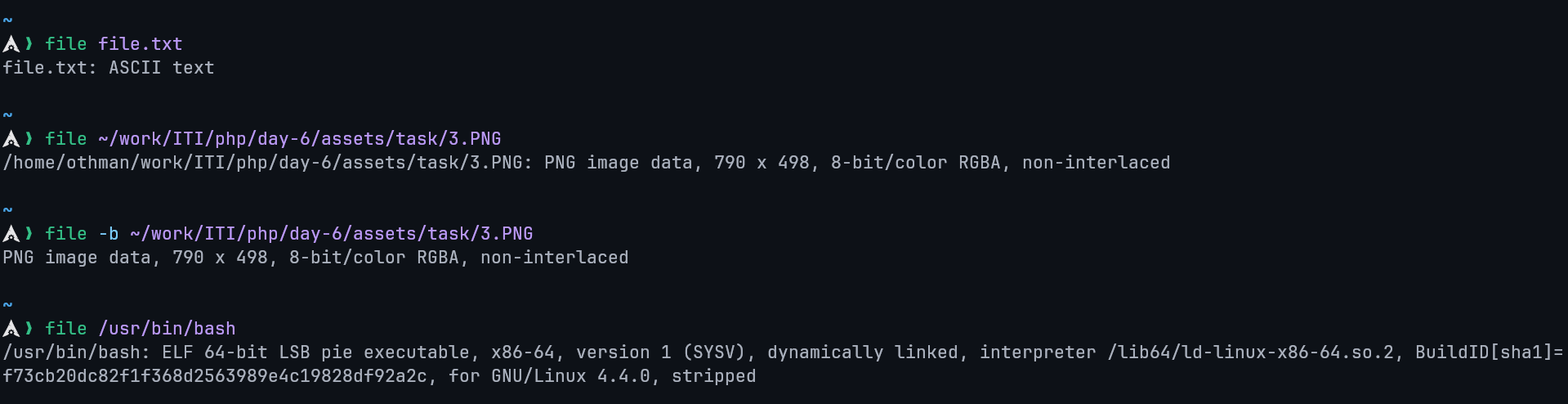
file Command
The file command determines a file's type by examining its contents rather than relying on the file extension.
Functions:
- Identify file types (text, binary, executable, archive, media, etc.).
- Detect encodings and binary formats.
Examples:
# Identify the type of a file
file myfile

# Check multiple files
file file1 file2

# Show MIME type
file --mime-type image.png
Example output:
route Command
The route command displays or modifies the system's IP routing table.
Functions:
- View current routing information.
- Add or delete network routes.
Examples:
# Display routing table
route -n

# Add a default gateway
sudo route add default gw 192.168.1.1

# Delete a route
sudo route del default
nice Command
The nice command is used to start a process with a specific scheduling priority.
Functions:
- Adjust process priority at startup.
- Influence CPU scheduling without stopping the process.
Examples:
# Run a command with lower priority
nice -n 10 myscript.sh

# Check priority (NI column)
top
Lower nice values mean higher priority. Only root can assign negative values.
grep Command
The grep command searches for patterns in text using regular expressions.
Functions:
- Search text in files or command output.
- Filter command results.
- Support regular expressions.
Examples:
# Search for a word in a file
grep "error" log.txt

# Case-insensitive search
grep -i "warning" log.txt

# Recursive search
grep -r "TODO" src/
gunzip Command
The gunzip command decompresses files compressed with gzip.
Functions:
- Decompress
.gzfiles. - Restore original file contents.
Examples:
# Decompress file.gz
gunzip file.gz

# Keep original compressed file
gunzip -k file.gz
netstat Command
The netstat command displays network connections, routing tables, and interface statistics.
Functions:
- View open ports and active connections.
- Display listening services.
Examples:
# Show all listening ports
netstat -tuln

# Show active connections
netstat -an
sed Command
The sed (stream editor) command performs text transformations on input streams.
Functions:
- Search and replace text.
- Edit files non-interactively.
- Process text pipelines.
Examples:
# Replace 'foo' with 'bar'
sed 's/foo/bar/' file.txt

# Replace globally
sed 's/foo/bar/g' file.txt

# Edit file in-place
sed -i 's/foo/bar/g' file.txt
top Command
The top command provides a real-time view of system processes and resource usage.
Functions:
- Monitor CPU and memory usage.
- View running processes dynamically.
- Manage process priorities interactively.
Examples:
# Start process monitor
top
Useful interactive keys:
kkill a processrrenice a processqquit
bg Command
The bg command resumes a stopped job in the background.
Functions:
- Continue suspended jobs without occupying the terminal.
- Works with job control in shells.
Examples:
# Suspend a running process
Ctrl+Z

# Resume it in the background
bg

# Resume a specific job
bg %1
1.3 Create basic linux commands for the following tasks
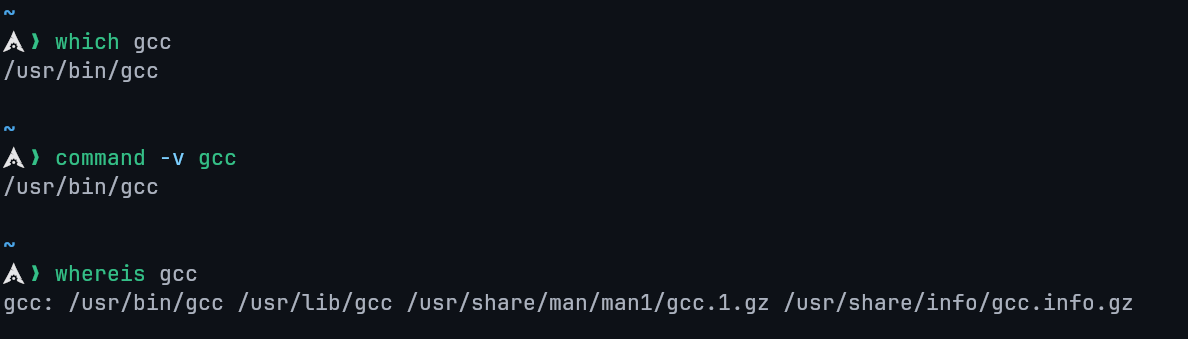
Locate the executable files or location of a program from the file system.
Locates the executable of the gcc command.
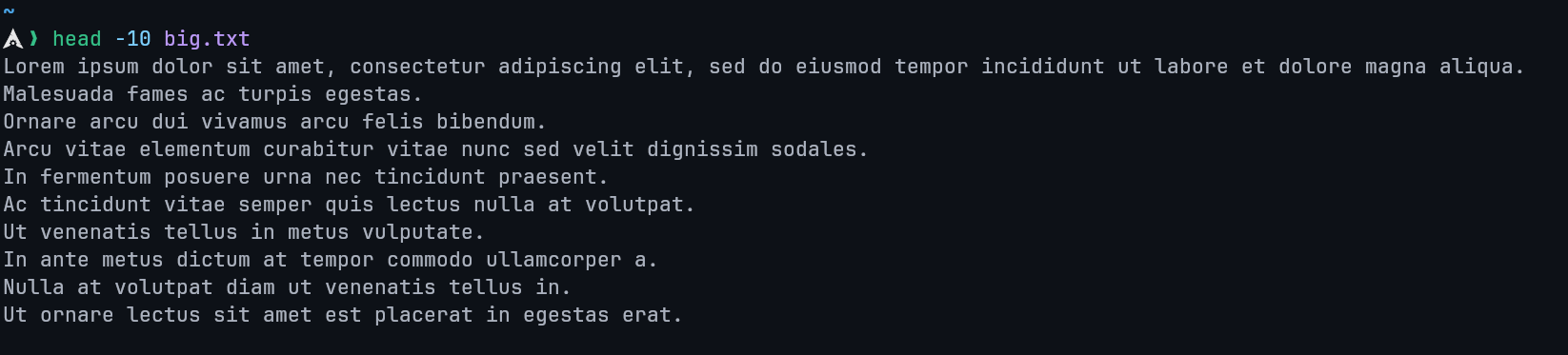
Display the starting content of a file
Shows the first 10 lines of big.txt.
Determine the path along which a packet travels
traceroute <destination>Display IP Address, Hardware and MAC address. It is also used configure network interfaces
ip addr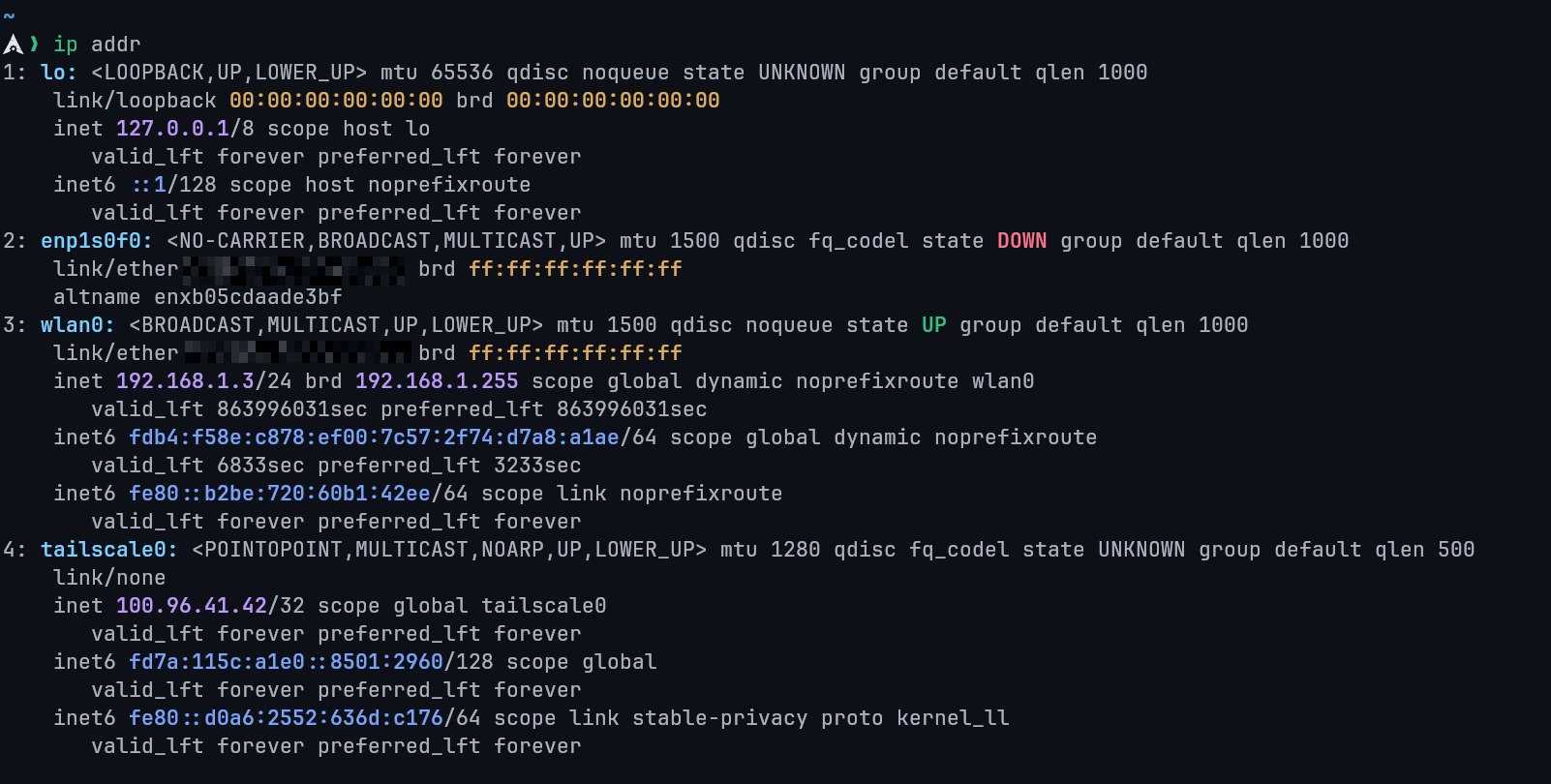
Stop a process
kill <PID>Search for all .conf files under /etc
sudo find /etc -name '*.conf'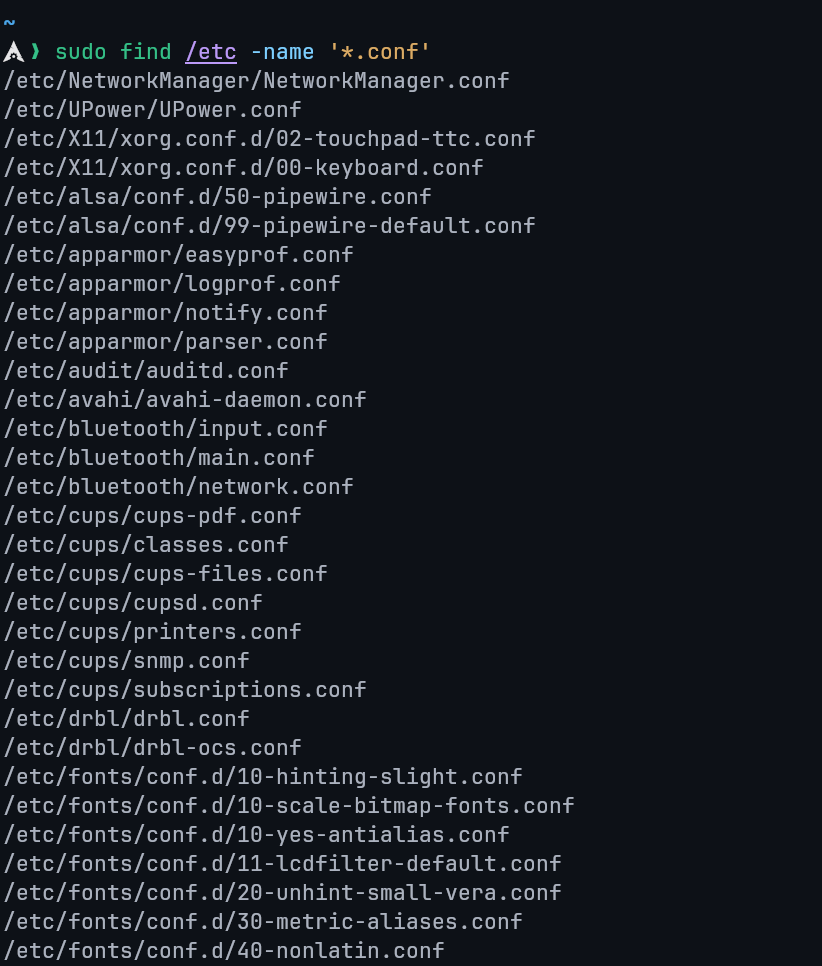
Display CPU and memory usage of a process
topAlternatively, for a specific process:
top -p <PID>
# Or
ps -p <PID> -o %cpu,%mem,cmd
Display routing table
route -n
# or
ip route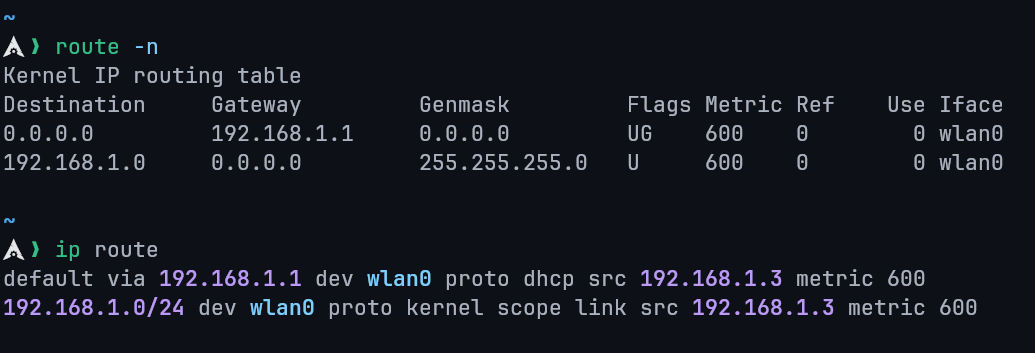
Trace the path to www.google.com
traceroute www.google.com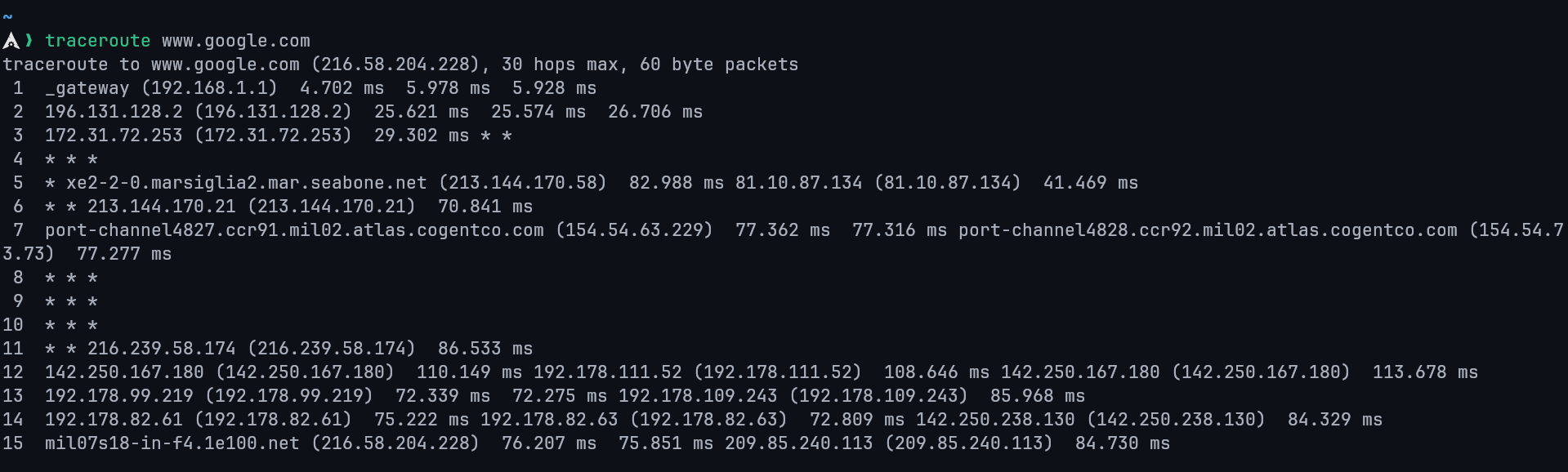
Redirect the output of ls to a file files.txt
ls > files.txt1.4 Employ Commands Used to Manage a Linux Server
Copy multiple files and directories
cp file1 file2 /destination/Copy directories recursively:
cp -r dir1 dir2 /destination/Take a backup for an existing file
cp file.txt file.txt.bakRemove duplicate lines of a file
sort file.txt | uniqOverwrite file with unique lines:
sort file.txt | uniq > clean.txtView only active connections
netstat -an | grep ESTABLISHEDSearch for a particular information inside a text file
grep "keyword" filename.txtCompress a directory into a .tar.gz backup
tar -czvf backup.tar.gz directory/Show last 50 lines
tail -n 50 filename.txtShow kernel version
uname -rLocate a program's path
1.5 Use Core Linux Commands
Display the first 30 lines of a file named logs.txt
head -n 30 logs.txtStart a program with lower priority (nice value = 10)
nice -n 10 script.shDisplay all processes running under the user root
ps -u rootFull format:
ps -u root -fCount how many words are inside the file report.txt
wc -w report.txtList all processes that are running in the background for the current user
jobsDisplay the file content in reverse order
tac filename.txtQuery DNS to fetch the IP address or domain name from DNS records
nslookup domain.comAlternative:
dig domain.comChange the hostname of the server
hostnamectl set-hostname new-hostnameShow the parent process ID (PPID) of a process with PID 2000
ps -o ppid= -p 2000Remove duplicates and save into a new file
sort file.txt | uniq > unique.txt